


Overview
Application Process
How to Register for the SAT Exam 2026?
SAT registration can be done online from the official College Board website. Below are the steps:
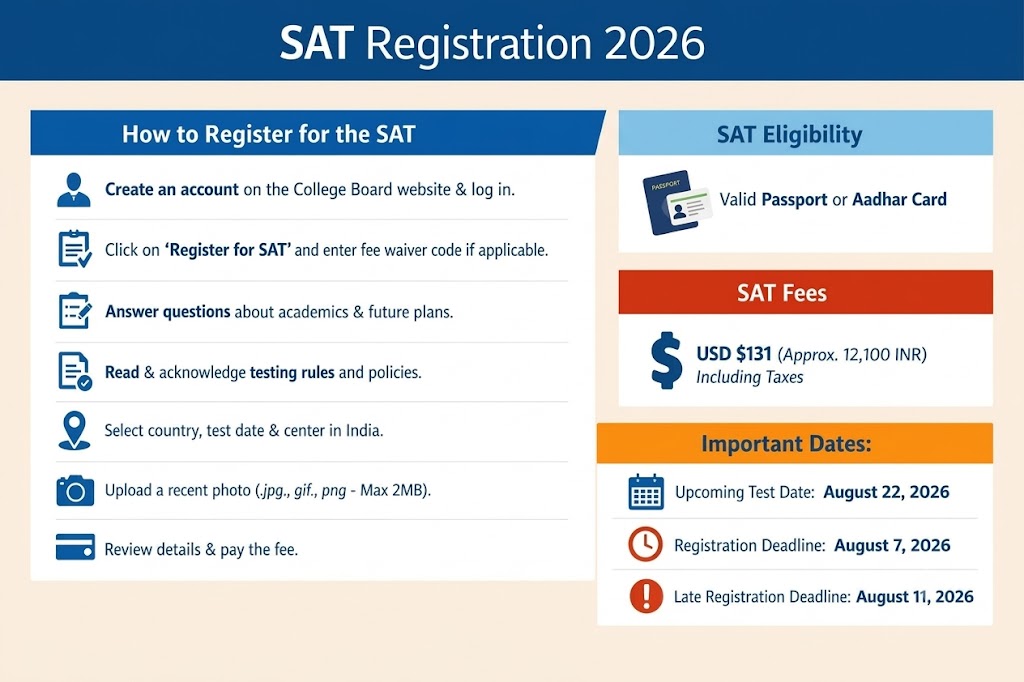
Create your account on the College Board website, complete your profile, and log in.
Click on “Register for SAT.” If you have a fee waiver, enter the code and then proceed.
Answer the questions about your previous academics as well as your future ones. Make sure you enter these carefully.
Read and acknowledge the testing rules and policies.
Select your country of testing, preferred test date, and center. Check the full list of SAT test centers in India
Upload a recent photograph. The format can be .jpg, .gif, or .png, and the maximum size is 2 MB.
Review all your details, check the exam fee, and make the payment.
After registration is complete, log in to the Bluebook app and download the admission ticket. You must bring this ticket to the test. Must Read: SAT Test Day Checklist
Important: SAT exam is taken on candidates’ own devices (laptop or tablet), and if you do not have one, you can borrow from the College Board. For that, you will have to register at least 30 days in advance.
While registering, you will see an option like “I don't know if I have access to the necessary device”. Select this option and then proceed for registration.
Alternatively, you can also contact the SAT Support by calling +1 212-713-7789.